
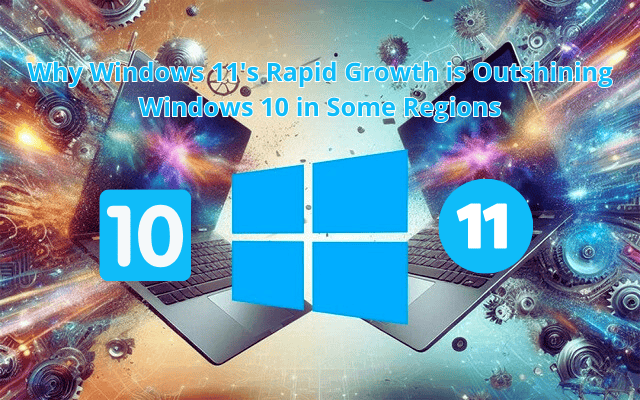

Windows 11 growth has been accelerating, outpacing Windows 10 in several key regions. With improved performance, exclusive features, and enhanced security, more users and businesses are making the switch. But what exactly is driving this rapid adoption, and how does it compare to Windows 10? Let’s explore the key factors behind Windows 11’s rising popularity.
Introduction to Windows Evolution
Ever since its inception, Windows has been a cornerstone in the world of personal computing. From its humble beginnings to the powerful operating systems we use today, each version of Windows has brought something new to the table. This evolution is not just about technology but also reflects changing user needs and technological advancements.
Transitioning from Windows 10 to Windows 11 marks a significant milestone. Windows 10 was lauded for its stability and user-friendly interface, but Windows 11 promises to take things a step further. With a sleek new design and enhanced functionalities, Windows 11 aims to meet the demands of modern users and emerging technologies.
Understanding user adoption trends is crucial in this context. It provides insight into how and why users are making the switch. These trends reveal much about user preferences and can guide the development of future updates and features. As we delve deeper into what makes Windows 11 stand out, it’s essential to consider the factors driving its rapid growth.
Let’s explore the key features that are fueling Windows 11’s adoption and why users are embracing this new era of computing.
Key Features Driving Adoption
Windows 11 is captivating users with its sleek user interface improvements. The new look, featuring centered taskbar icons and rounded corners, delivers a design reminiscent of macOS yet uniquely Windows. Widgets make a comeback, offering a personalized feed powered by AI, while Snap Layouts revolutionize multitasking by allowing users to easily organize app windows.
For gamers, Windows 11 is a dream come true. With DirectStorage technology, game data bypasses CPU bottlenecks, making rendering faster and loading times a thing of the past. Auto HDR elevates game visuals by enhancing colors, and the inclusion of Xbox Game Pass opens up a vast library of games, making gaming on Windows 11 an unparalleled experience.
Additionally, Windows 11 embraces the future with robust support for new hardware and technologies. From advanced AI-driven Copilot+ experiences to stringent system requirements, it sets the stage for innovative computing. As Windows 11 continues to roll out, these features collectively drive its rapid adoption, positioning it as a leader in the world of operating systems.
Regional Adoption Trends
Windows 11 is making waves in various regions, showing impressive growth in its market share. As of October 2024, the operating system reached a remarkable 35.55% share, climbing from 26.17% just a year prior. This surge is even more striking when compared to Windows 10, which still dominates with a 60.95% share but has seen a slight decline of 1.8 percentage points.
Despite the lack of specific regional data, the adoption trends suggest a shift in user preference. The end of support for Windows 10 in 2025 is a crucial factor driving this change. Additionally, the allure of Windows 11’s enhanced features and pre-installed availability on new devices are enticing users across the globe.
Cultural and economic factors also play a role, albeit indirectly. In regions where technology adoption is rapid due to economic growth, Windows 11 is likely embraced quicker. Conversely, areas with economic constraints might delay upgrading due to strict hardware requirements. This complex interplay of factors paints a vivid picture of how Windows 11 is outshining its predecessor, promising a transformative journey for users worldwide.

User Feedback and Experience
Windows 11 has evoked a mix of reactions among its users. Early adopters have praised the redesigned Start Menu and Taskbar, calling them “streamlined and modern.” Many users have noted the operating system’s improved performance and speed, with one user stating, “The integration of Microsoft Teams into the Taskbar makes communication so much easier.” Gamers, too, have highlighted enhanced features like DirectStorage and Auto HDR as significant improvements.
However, not all feedback has been positive. Common complaints include upgrade issues due to hardware incompatibility and performance problems post-upgrade. “My system constantly freezes,” mentioned one frustrated user. Printer connectivity issues and snipping tool malfunctions are also frequently reported.
Despite these challenges, user feedback is actively shaping future updates. Microsoft is addressing concerns about non-removable components and usability to enhance the overall user experience. Ultimately, while Windows 11 offers innovative features, the balance of user satisfaction suggests that continued attention to feedback will be key to its success.
Competition with Other Operating Systems
Windows 11 finds itself in a competitive landscape alongside macOS Sequoia and various Linux distributions. Windows 11 and macOS each bring unique strengths to the table. While Windows 11 offers a broad compatibility with PCs and tablets, macOS Sequoia is refined for Apple hardware, providing seamless integration with Apple’s ecosystem. This difference is crucial for users choosing between the two based on hardware preferences and ecosystem loyalty.
Although detailed market share data for Windows 11 is sparse, its growth trajectory suggests a positive reception in some regions. However, competition from Linux remains strong, especially among developers and tech enthusiasts who value open-source freedom and customization. Windows 11 positions itself by offering robust gaming capabilities and a user-friendly interface, which are attractive to a broad audience beyond the tech-savvy crowd.
Looking ahead, Windows 11’s ability to innovate and address user feedback will be pivotal. As operating systems evolve, the competition will intensify, and success will hinge on how each platform can meet user demands and technological advancements. This ongoing competition will likely spur greater innovation, benefitting users across all platforms.
Frequently Asked Questions
What are the system requirements for Windows 11?
To run Windows 11, your device must meet several specifications. It requires Windows 10, version 2004 or later, a compatible processor like the Snapdragon® X Elite, 16 GB RAM, and at least 256 GB SSD storage. For full compatibility details, using the PC Health Check app is advisable.Can users upgrade for free from Windows 10?
Yes, upgrading from Windows 10 to Windows 11 is free. However, be mindful of potential internet provider charges for large downloads. Ensure your device meets all requirements before proceeding.What are the key differences users should know?
Windows 11 offers a modern design with centered taskbars, Snap Layouts for multitasking, and a revamped Microsoft Store. It also boasts gaming upgrades like DirectStorage. Additionally, the new Teams integration and AI-powered Copilot enhance productivity. For more details, exploring the differences could be insightful.
Have more questions? Feel free to ask in the comments below!
Conclusion and Future Outlook
Windows 11 has quickly established itself as a powerhouse in the operating system landscape. Its modern design, enhanced gaming capabilities, and seamless integration of productivity tools like Microsoft Copilot set it apart from its predecessor, Windows 10. The inclusion of Snap Layouts and a redesigned Microsoft Store further enhance user experience, making it an appealing choice for both casual and professional users.
Looking ahead, Windows 11 is poised for continued growth, especially as more users transition from Windows 10 due to the impending end of its support in 2025. The ongoing updates and feedback-driven improvements are likely to attract a broader audience, solidifying its foothold in key regions worldwide.
As user adoption trends shift, the question remains: how will Windows 11 continue to innovate and adapt to ever-changing user needs? With its robust feature set and forward-thinking updates, the future looks bright for Windows 11, promising a transformative impact on the way users interact with their devices.